Minecraft Administration & Command Environment
A lightweight, bare-metal server console designed specifically for host administrators. Manage processes, edit configs, and orchestrate worlds with Zero Bloat.
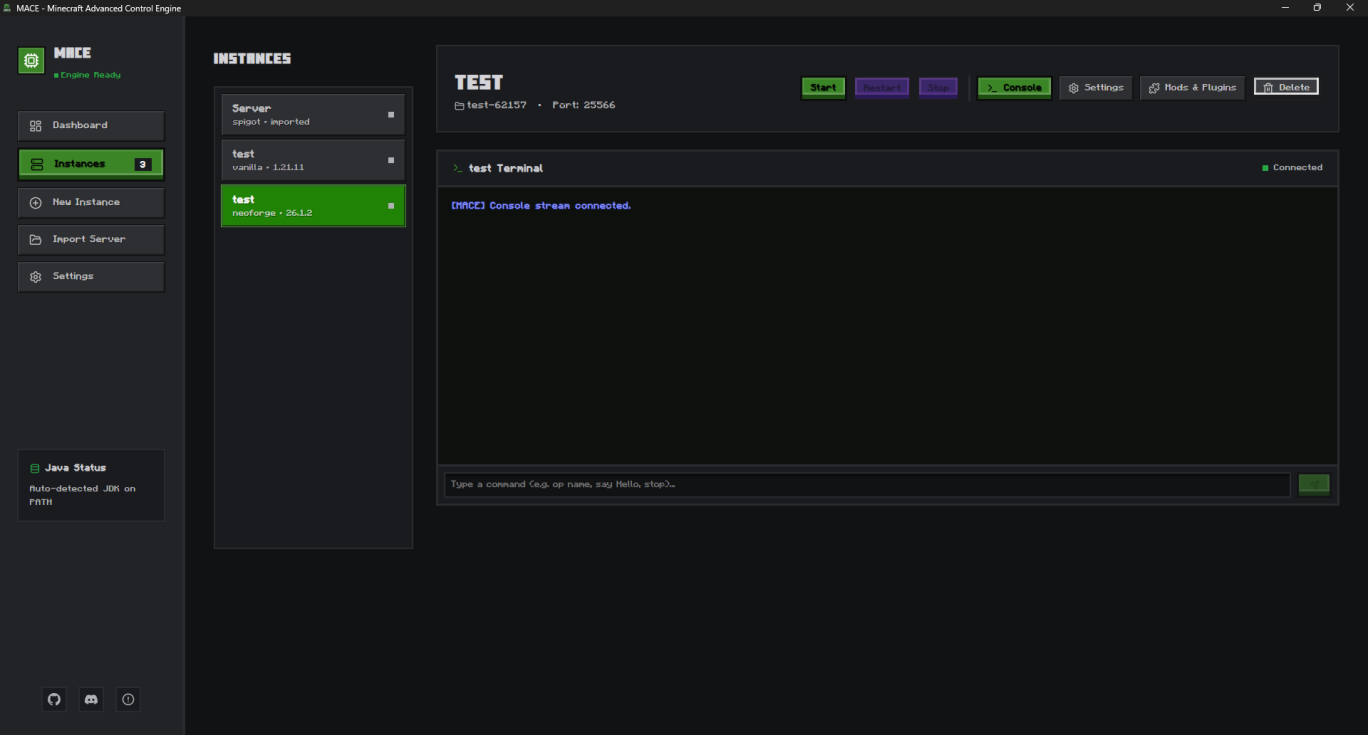
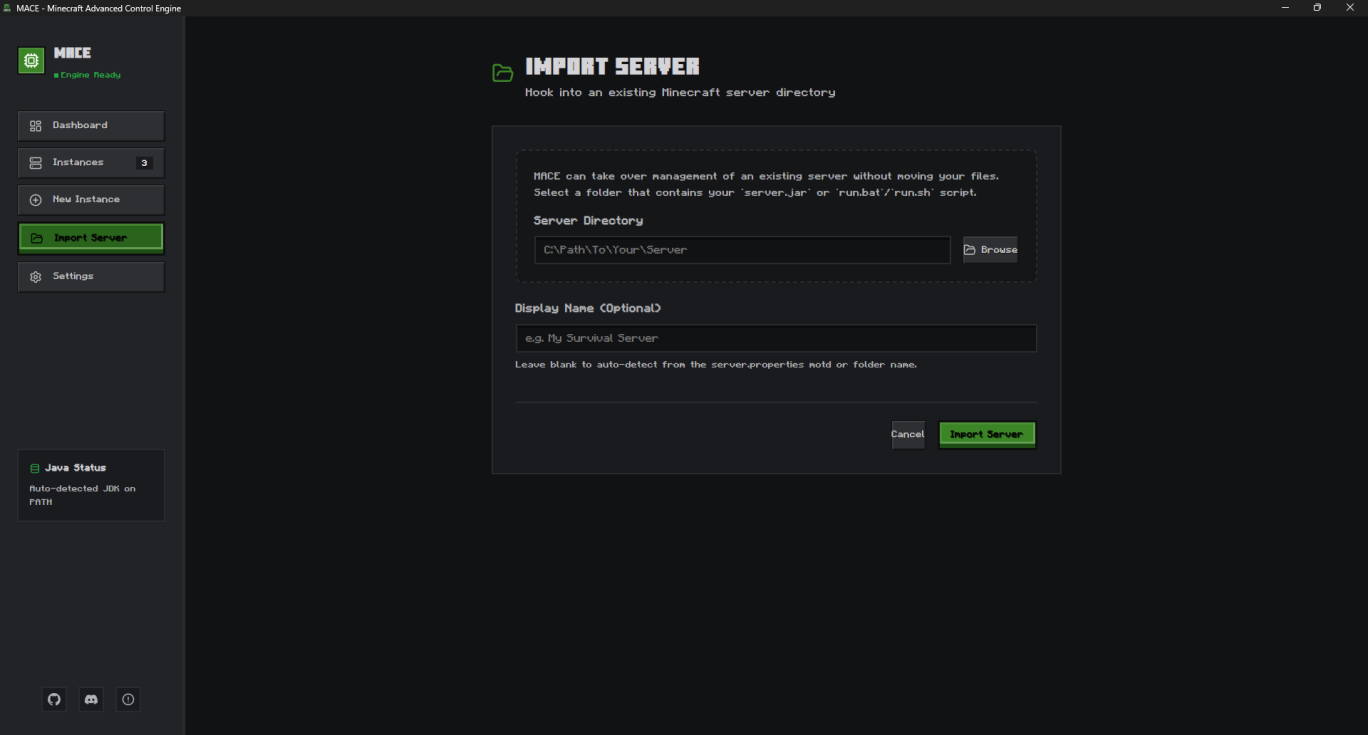
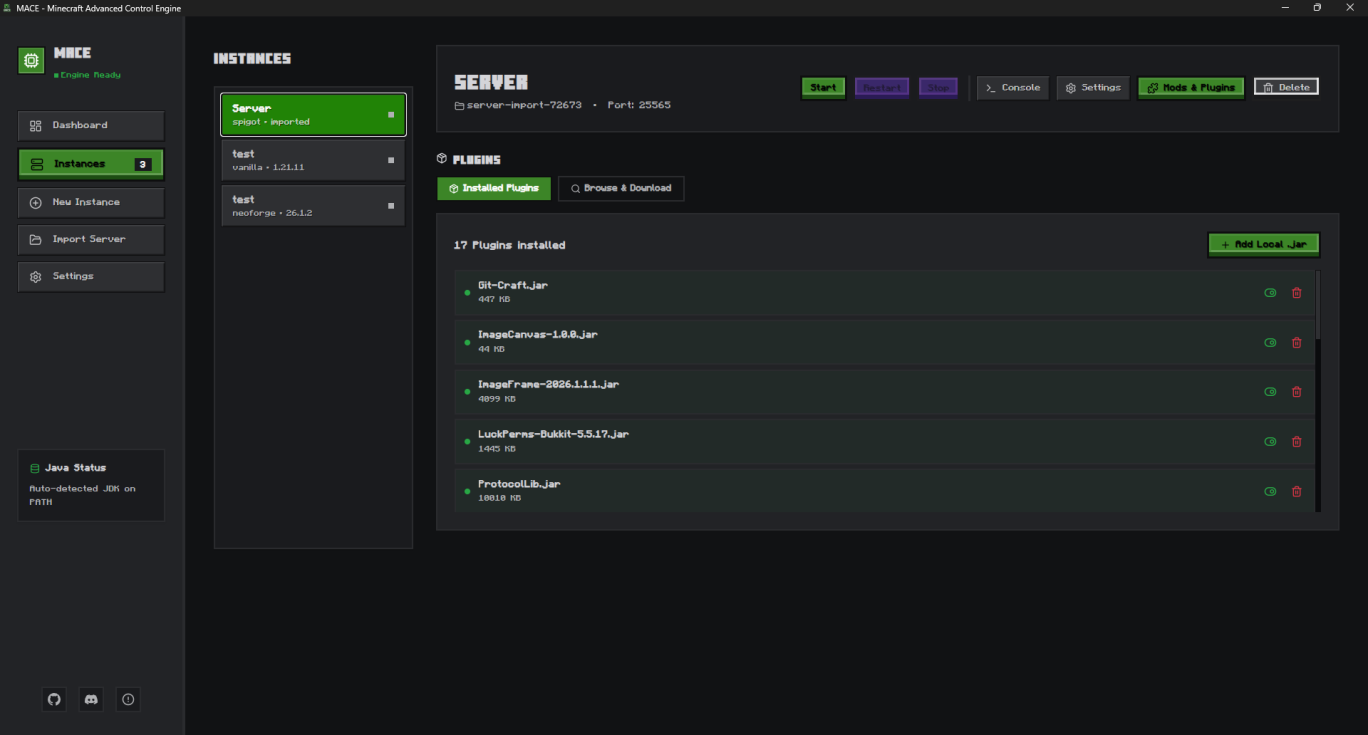
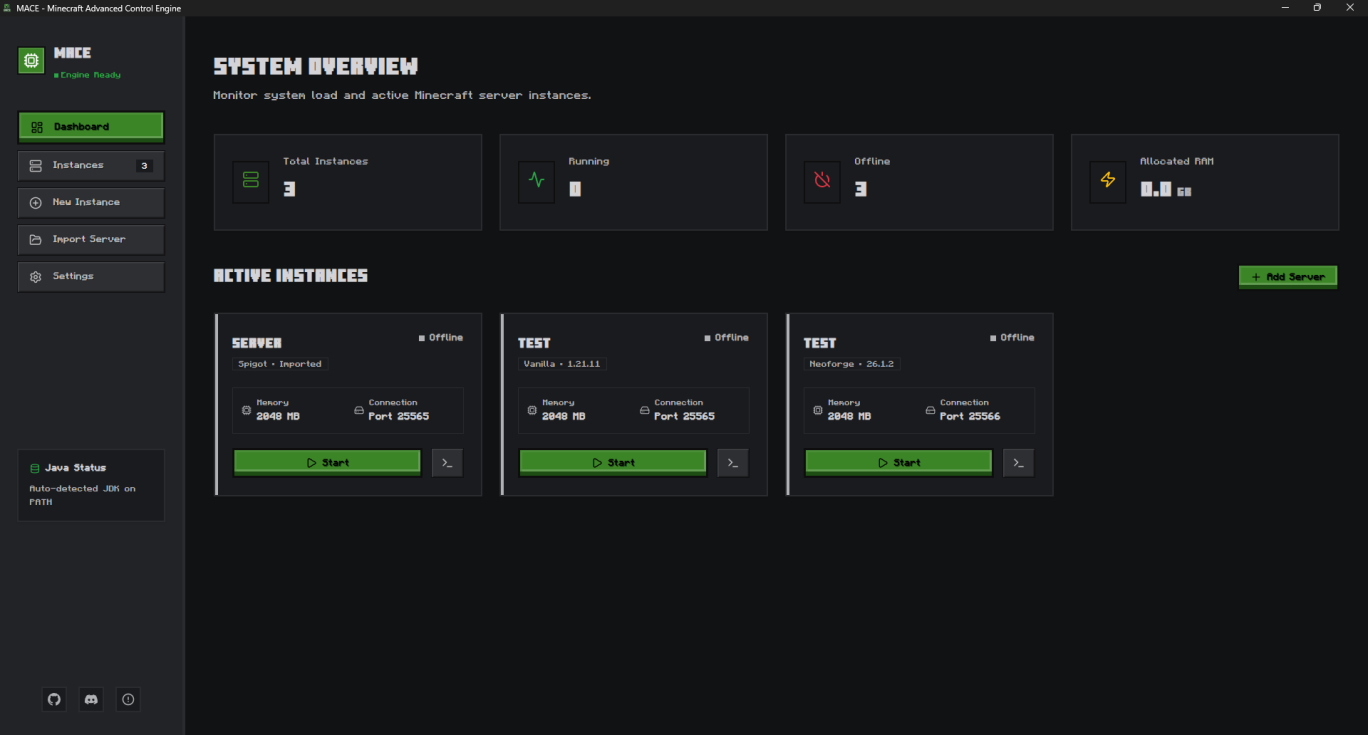
MACE Dashboard Preview
A Minecraft-inspired admin console layout with live demo screenshots and UI details pulled from the MACE interface.
Dashboard Interface
Instance Console
Import Server Form
Mods & Plugins Panel
Supported Runtimes
<More Support Coming Soon>
MACE Feature Explorer
Filter and explore both currently active core features and proposed roadmap systems.
Multi-Instance Isolation
Create and manage multiple completely isolated game server instances from a single dashboard.
Universal Loaders
Full out-of-the-box support for Vanilla, Paper, Fabric, Forge, and NeoForge server platforms.
Auto-Java Lifecycle
Automated scanning of host system to detect, provision, and match the correct JDK version required by the target server.
EULA Safety Validation
Integrated backend safety gate requiring explicit user consent via UI checkbox before generating Mojang eula.txt files.
Bedrock & PocketMine
Expand Go engine loops to provision and run Bedrock Dedicated Server binaries and managed PHP runtimes.
Real-Time Telemetry
Live hardware utilization tracking featuring streamed CPU, RAM, and active player counts.
XSS-Hardened Terminal
Ultra-lightweight, reactive command console streaming live process stdout/stdin directly over Wails.
Advanced Log Parser
Implementation of large-log file handling, persistent session history, live log tailing, and search/filtering tools.
Sandboxed UI Engine
A dynamic layout generator that reads zip-style (.mace) extension bundles containing layout.json and manifest.json.
Zero-Code Customization
Allows developers to safely map custom macros and input fields without running third-party Javascript inside the desktop app.
Instance-Level Scoping
Dedicated "extensions/" directory nested inside each individual server workspace for plug-and-play profile configurations.
Macro Action Blocks
Fast-access native UI buttons for instantaneous runtime command execution (e.g. Operator, settings updates).
Live Player Grid
Interactive visual dashboard displaying active usernames hooked directly into the Go log-scanner loop.
Admin Triggers
Dedicated pixel-art control buttons mapping to native server actions: Kick, Ban, and Slay.
Managed Access Lists
Dedicated visual UI interfaces for editing and syncing server Whitelist and Banlist files directly.
CurseForge & Modrinth
Native in-app browser allowing users to pull mods, plugins, and modpacks directly into their server workspace.
Payload Integrity
Automated field checks evaluating mod IDs and download targets to prevent file injection or directory corruption.
Dependency Resolver
Smart scanning of mod metadata to warn users of version conflicts or missing core dependencies before launch.
Manual Snapshot Ledger
Single-click directory cloning that captures the complete current state of server worlds, configs, and plugins.
Instant Rollbacks
One-click extraction mechanism allowing administrators to manually revert a broken workspace back to a clean snapshot.
Automated Tickers
Cron-based background loops in Go to handle automatic maintenance intervals and timed server backups.
Cloud Synchronization
Secure external integration with cloud providers to push, track, and manage backup retention offsite.
LAN & WAN Switches
Simplified networking switches toggling between strictly local environments and external multi-user visibility.
Zero-CLI Tunneling
Built-in public tunnel management utilizing edge tools (zrok or frp) to expose local servers without port-forwarding.
Glassmorphism UI
High-performance, tailored Minecraft CSS frontend rendering natively across platforms via Wails.
Remote Web-Panel
Secure, browser-based remote control layer enabling users to monitor consoles and execute commands from any device.
OS Integration Suite
Minimize-to-tray architecture, native desktop notifications, and optional run-at-startup configuration hooks.
MACE vs. Alternatives
See how MACE compares with traditional server setups and heavyweight enterprise panels.
| Feature / Metric | MACE | Traditional Panels (Multicraft) | Heavy panels (Pterodactyl) | Bare CLI (SSH + Screen) |
|---|---|---|---|---|
| System Overhead | ♦ Ultra-Light (Go Daemon) | ▪ High (PHP/Python Daemons) | ▪ Medium-High (Node panel + Docker) | ♦ Zero overhead |
| Setup & Installation | ♦ Single Binary (1 Click) | ▪ Complex installer script | ▪ Multi-node Docker setup | ▪ Manual shell configurations |
| Auto-Java Lifecycle | ♦ Yes (Auto-match JDK) | ▪ No (Manual path setting) | ▪ No (Docker tags required) | ▪ No (Manual system java path) |
| Zero-Code Extensions | ♦ Yes (JSON UI Layouts) | ▪ No (PHP/HTML configs) | ▪ No (Complex React/API) | ▪ No (Manual shell bindings) |
| CurseForge Browser | ♦ Yes (In-app one click) | ▪ No (Manual FTP uploads) | ▪ No (Manual file uploads) | ▪ No (Wget/Curl console commands) |
| EULA Compliance Check | ♦ Yes (UI Checkbox) | ▪ No (Auto-write config) | ▪ No (Auto-agree flag) | ▪ No (Manual nano editing) |
| Public Tunneling | ♦ Yes (Zero-CLI proposed) | ▪ No (Manual ports mapping) | ▪ No (Manual reverse proxies) | ▪ No (Manual SSH tunnels) |
Command Center Cockpit
Control a virtual Minecraft server instance live. Toggle active controls, run administrative queries, and watch state variables update in real-time.
survival-2026
ActivePath: C:\Users\temit\Mace\servers\survival-2026 · Port: 25565
Download MACE
Grab the binary for your platform. No installer needed — just extract and run.
Windows
x86-64 · .exemacOS
Universal (Apple & Intel) · .zipLinux
x86-64 · binary (no extension)View all releases and changelogs on GitHub Releases →
settings System Configurations
Modify the active runtime flags or toggle daemon listeners instantly. Values persist in active cache memory.